
Free tool /08
E-E-A-T signals: how credible does your site look?.
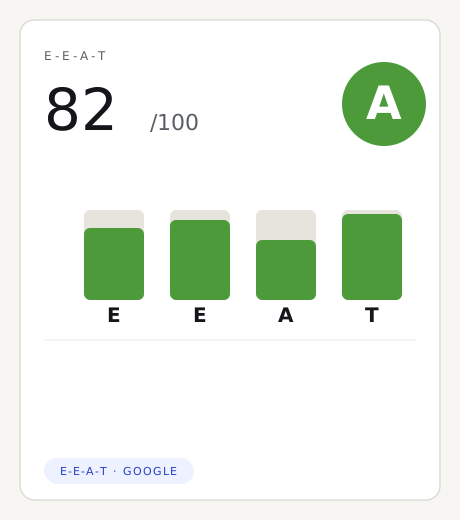
We analyse eight trust signals readable in your homepage code — HTTPS, contacts, VAT number, an about page, structured data and more — grouped into the four E-E-A-T pillars. We measure on-page signals, not your real reputation or expertise. No sign-up.
How it works
Three steps, no sign-up.
01
Enter the site address
We read the home page from our own server, the way a first-time visitor would: we analyse the HTML, nothing to install.
02
Eight automatic checks
We look for eight trust signals in the page — HTTPS, contacts, VAT, privacy, about page, portfolio, structured data, external profiles — and group them into the four E-E-A-T pillars.
03
A 0–100 score and four pillars
An overall score plus the breakdown by Experience, Expertise, Authoritativeness and Trust, with a colour for each signal and what’s missing.
The method
What this E-E-A-T signal test actually measures.
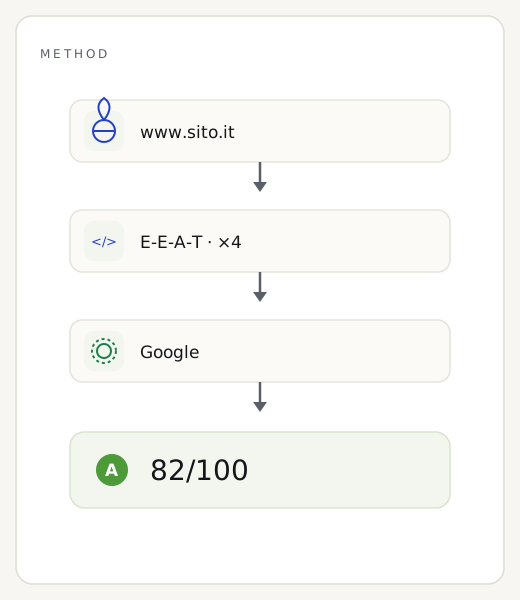
As with the GDPR and AI-readiness checks, it’s our server that reads your home page, without going through Google. In the HTML we look for eight trust signals that anyone — a search engine, an AI model, a cautious customer — would use to decide whether to trust you: a secure connection (HTTPS), verifiable contacts, legal identity (VAT and company name), links to privacy and cookie policy, an about page, a portfolio or case studies, JSON-LD structured data, and external profiles. Each signal falls into one of the four E-E-A-T pillars — Experience, Expertise, Authoritativeness, Trust — and weighs on the overall score.
And here’s the boundary, stated up front: we measure on-page signals readable in the code, not your site’s real E-E-A-T. We don’t count the links or mentions you receive, we don’t read reviews or reputation, we don’t judge whether you’re genuinely expert or whether the content is true: that call is made by people — Google’s quality raters and the wider web — not by scanning HTML. We look only at the home page you give us, not the whole site, and we don’t see anything that appears only after JavaScript runs. A high score means the trust signals are present and readable, not that Google will give you a positive E-E-A-T judgement.
Reading the result
How to read the E-E-A-T score and the four pillars.
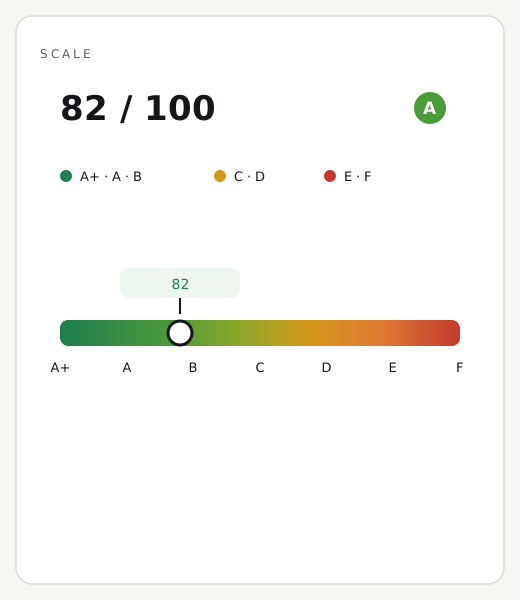
The score runs from 0 to 100 and reads like a four-level traffic light. From 90 up, almost all trust signals are there and easy to read. Between 75 and 89 you have a solid base, with a few items to complete. Between 50 and 74 several important signals are missing: this is the most common band for business sites that look after content but forget the technical side. Below 50 the page exposes few trust cues — which is also the situation where a handful of additions lift you quickly. Next to the total you’ll find the four pillars, so you can see which one to fix first.
Two readings to avoid. First: a red signal isn’t a fault, it’s an opportunity — “no structured data” means that by adding a JSON-LD block you gain points in an afternoon. Second, and more important: a perfect 100 doesn’t certify your E-E-A-T. It means you’ve declared who you are well, not that the web considers you authoritative — that trust is built with content, time and reputation, which no tool reads from HTML. And if the score seems unfairly low, check whether the site renders its content via JavaScript: in that case many signals exist but aren’t in the initial code we read, and we flag it with a notice.
Three common questions
What is E-E-A-T?
It’s a concept from Google’s Search Quality Rater Guidelines: Experience, Expertise, Authoritativeness and Trust. It helps Google estimate how much a page can be trusted, especially on topics that affect health, money and safety.
Does E-E-A-T affect rankings?
It’s not a direct ranking factor or a score Google assigns: it’s a quality framework human raters use to train the algorithms. Strengthening your trust signals helps indirectly, but no tool — ours included — measures your site’s “real” E-E-A-T.
Why doesn’t the test see my reputation?
Because we only read your page’s code: we can confirm the trust signals are there and declared, not who cites you, what reviews you have or how expert you really are. That part is judged by people and the wider web, not by scanning HTML.
How to improve
How to strengthen your site’s E-E-A-T signals.
Strengthening trust doesn’t mean rewriting the site: these are precise technical additions, most of them quick and low-cost.
01
Publish a real about page
With names, faces, history and the team’s actual expertise, not a generic paragraph: it’s the first place Google and readers look to understand who’s behind the site.
02
Make your contacts verifiable
A full address, a real phone number and email in plain sight, in every page footer, not just inside a form: a traceable contact is a baseline trust signal.
03
Declare your legal identity
VAT number, company name and registered address in the footer: it’s the simplest proof of being a real, reachable business.
04
Add structured data
A JSON-LD schema.org Organization (or LocalBusiness) block with name, logo, contacts and “sameAs” profiles tells engines and AI who you are, explicitly.
05
Sign and date your content
A named author, a publish date and a last-updated date on articles and pages: they show real experience and content kept current.
Want to strengthen your site’s credibility?
About page, verifiable contacts, legal identity and structured data in place: they’re part of the technical SEO and every business website we deliver.
The other free tools