
Free tool /01
Website speed test: your real Google score.
Your real Google PageSpeed score and the three metrics behind it — LCP, INP, CLS — explained in plain English. Mobile strategy, real data from Google’s API. No sign-up.
How it works
Three steps, no sign-up.
01
Paste in the address
Enter the website URL: the homepage or the internal page that gets the most visits.
02
We measure it with Google
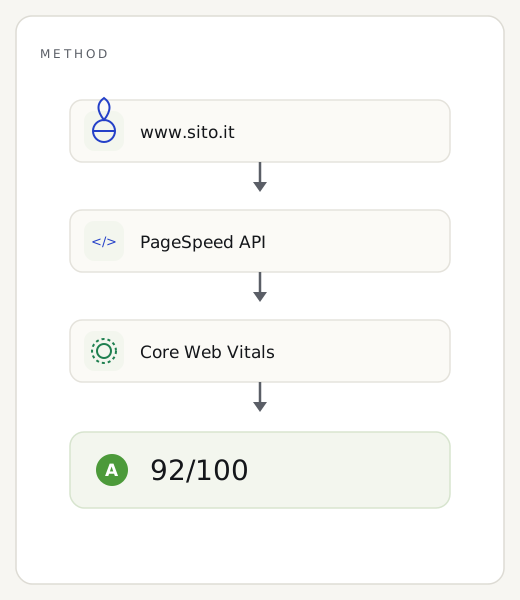
We query the PageSpeed Insights API in mobile strategy — the same data Google uses for ranking.
03
See what’s slowing the website down
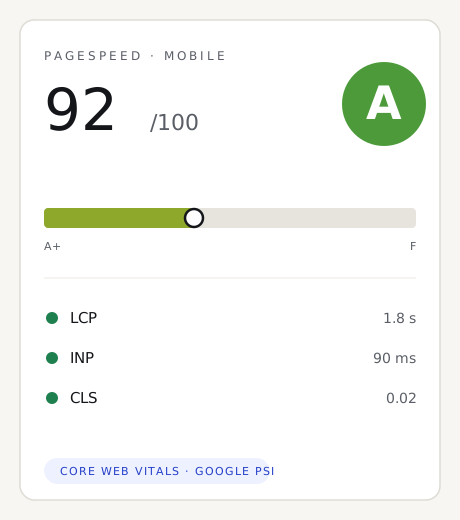
A 0–100 score and the three Core Web Vitals explained in plain English, no technical jargon.
The method
What this website loading-speed test actually measures.
There’s only one engine behind the score: Google’s PageSpeed Insights API, the same one that powers pagespeed.web.dev. We query Lighthouse in mobile strategy, because that’s the version of your site Google uses to rank you. The 0–100 number is born in a lab, with a simulated phone and connection kept standard: that way two measurements of the same page stay comparable over time. Where your site gets enough real traffic, we also add the Core Web Vitals collected in the field from actual Chrome users.
It’s only fair to say what this test doesn’t look at. It doesn’t judge the quality of your copy, doesn’t count inbound links, doesn’t measure server security or how much you sell: it only weighs the loading experience of a single page. A high score isn’t a promise of a first-place ranking on Google, but a healthy technical base that everything else works better on. We’d rather say it plainly: it’s a precise snapshot of one aspect, not a complete diagnosis of your site.
Reading the result
How to read your website’s performance score.
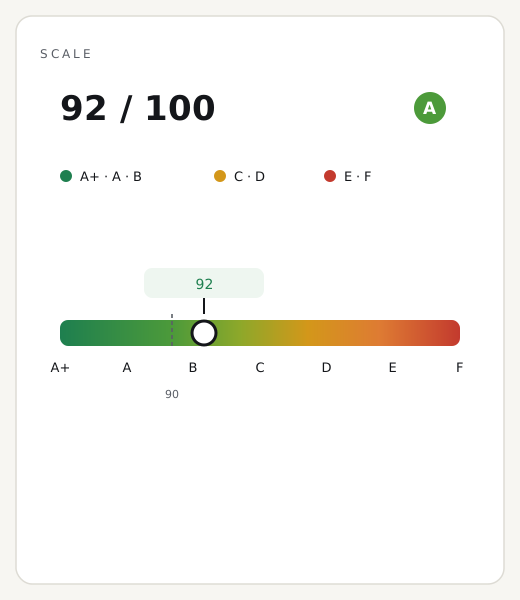
Read the result like a traffic light. From 90 to 100 you’re in the green zone: the page appears quickly even on the move, on city 4G as well as at the edge of coverage. Between 50 and 89, speed is around the average for the Italian web, with concrete room to gain. Below 50 you’re in the red: a good share of mobile visitors leave before the first line even appears, and every euro spent on advertising returns much less.
Two recurring false alarms. The value swings by a few points between one run and the next: that’s normal, it depends on Google’s measuring servers, not your site — the big jumps matter, not a two-point gap. And don’t panic if desktop scores 95 while mobile scores 40: almost every site has this gap, but it’s mobile that decides your ranking. Always watch that number.
Three common questions
Is this Google’s real score?
Yes: it comes from the official PageSpeed Insights API, mobile strategy. It’s the same engine you’ll find on pagespeed.web.dev.
Why do you only measure mobile?
Because Google indexes and ranks based on the mobile version of the website. The desktop score, higher almost everywhere, counts for little in rankings.
Does a low score hurt sales?
Below 50, most mobile visitors leave before the page finishes loading: campaigns bring clicks that never become inquiries.
How to improve
How to speed up your website: five concrete fixes.
A low score almost always comes from the same handful of causes, and the first ones are also the cheapest to fix.
01
Lighten your images
Convert photos to WebP or AVIF and turn on lazy loading: it’s the number-one cause of slowness, and on its own it often cuts waiting times in half.
02
Turn on caching
Page and browser caching stop the server from rebuilding everything on every visit: half a day of work, with results you can measure right away.
03
Trim your CSS and JavaScript
Inline the critical CSS, defer the rest, and remove third-party scripts you don’t need: less code to run, a faster first paint.
04
Choose hosting that’s up to the job
An overcrowded shared server takes a full second to respond before it even starts loading the page: proper hosting, with a CDN in front of it, cuts that initial wait.
05
Keep your fonts in check
Limit the number of typefaces, preload the essential ones, and use font-display: swap, so text shows up immediately instead of staying invisible.
Want us to fix these problems?
A free report with the causes, the priorities and a fixed quote: PageSpeed 90+ guaranteed by contract.
Guides & insights
The other free tools