
Strumento gratuito /11
llms.txt generator.
The file that explains your site to AI assistants, ready to download. Answer three questions — or just paste your address and we’ll gather the data — and an artificial intelligence writes your llms.txt: correct structure, key pages, a clear description. Copy it, download it, put it online. Free, no sign-up.

How it works
Three steps, no sign-up.
01
Give us the essentials
Your name, what you do, the pages that matter. Or just paste your site’s address: we’ll read the homepage and work out the details ourselves.
02
The AI writes the file
An AI model composes the llms.txt in the format AI crawlers expect: a heading with your name, a concise description, the list of important pages with one line each.
03
Copy, download, publish
The file is ready: copy it with one click or download it as llms.txt. Upload it to your site’s root folder, next to robots.txt.
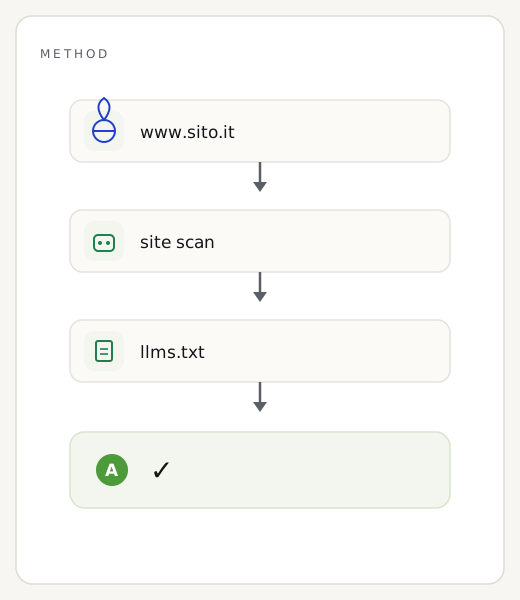
The method
What llms.txt is, and what we put in it.
llms.txt is a plain-text file, in Markdown format, that lives at the root of your site and sums up — for AI assistants — who you are and which pages of yours matter. It’s to the world of AI models what robots.txt is to Google: a short, readable map that ChatGPT’s, Perplexity’s or Claude’s crawlers read more willingly than raw HTML. We generate the heading with your name, an honest description of the business, and the list of key pages, each with its own line of context.
What it isn’t. llms.txt isn’t a magic wand: it doesn’t guarantee you’ll be cited and, on its own, it isn’t SEO. It’s one piece — useful and free — of a bigger job of visibility with AI assistants. The file we generate is a great starting point: re-read it, tweak the description if needed, and check the pages listed are really the right ones.
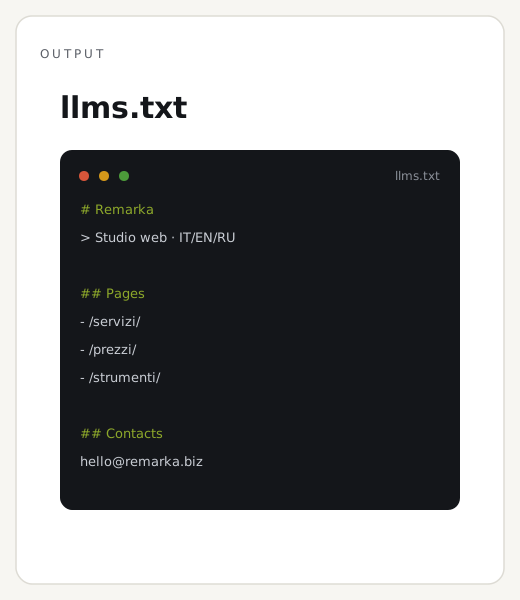
Reading the result
How to use the file you generated.
The result is the complete, ready file. Copy or download it, then upload it to your site’s root folder — the same one where robots.txt lives — so the final address is yoursite.com/llms.txt. From there AI crawlers find it on their own. Below the file you’ll find a note: usually a detail worth checking by hand, like a description to personalise or a page to add.
One tip. Always re-read the description before publishing: the AI writes it from the data you give it, but nobody knows your business better than you. Two minutes of proofreading are worth more than ten lines generated on the fly. And update it whenever you add important pages: an outdated llms.txt describes a site that no longer exists.
Three common questions
Do I really need an llms.txt?
It isn’t mandatory like robots.txt, but it’s a growing signal: since May 2026 Google factors it into Lighthouse’s «Agentic Browsing» audit. At zero cost, it’s one of the easiest things you can do to be read better by AI assistants.
Do you store the data I enter?
No. We use the data (or the homepage text, if you only give the address) once to generate the file and don’t save it. Only the result stays cached, for 24 hours.
Is llms.txt enough to be found by ChatGPT?
No, it’s one piece of the puzzle. Being cited by AI assistants also depends on clear content, structured data and authority. llms.txt helps you explain yourself; the rest is technical SEO and content.
Want to be found and cited by AI assistants?
llms.txt is the first step. The rest — structured data, AI-readable content, technical SEO — we build for you, at a fixed price and with PageSpeed 90+ guaranteed by contract.
The other free tools