Strumento gratuito /10
Does it sound native?.
Do you also sell in English or Russian? Paste a text from your site: an artificial intelligence tells you if it sounds like a native speaker wrote it, or if it feels translated. Choose the language, paste the text: in a few seconds, a naturalness score and three concrete fixes. We’ve translated for foreign markets since 2001 — this is our trade, in a free version.
How it works
Three steps, no sign-up.
01
Choose the language and paste the text
A paragraph from the homepage, a product description, the about page: in the language you sell abroad in. Up to about 2,000 characters. No sign-up.
02
The AI reads it like a native speaker
An AI model evaluates the text the way a native reader of that language would feel it: flow, tone, calques from Italian or another language, phrasing that gives away a translation.
03
See what to change
A naturalness score from 0 to 100, the right tone for that market, and three explained «before → after» fixes.
The method
What makes a text sound «native».
A text can be grammatically correct and still sound foreign. It happens when the grammar is fine but the construction is calqued from another language: sentences that run too long, the wrong tone, the right words in the wrong place, that translated-manual feel. A native reader doesn’t analyse it — they feel it, and trust it less. That’s exactly what we ask the model: not «are there errors?», but «does it sound like a native speaker would have written it?».
What it isn’t. It isn’t a spell-checker: typos aren’t the point. It isn’t a literary judgement or an SEO ranking. It’s an assessment of naturalness and tone — the difference between a text that’s passable and one that sells. And like any AI reading, it’s an opinion, not a verdict: the real review is done by a native-speaking editor, language by language, which is exactly what we’ve done since 2001.
Reading the result
How to read the naturalness score.
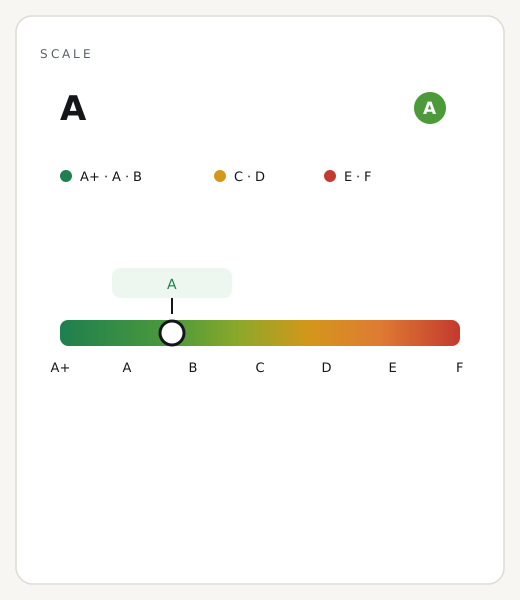
The score tells you how native the text sounds in that language. From 75 up, you’re fine: a native speaker would read it without stumbling. Between 50 and 74, the sense is there, but something feels off — a calque, a twisted sentence, the wrong tone — and the three fixes tell you where. Below 50, the translation shows: the text works to be understood, not yet to convince. Start with the fixes: they’re the three that move the needle most.
An honest caveat. A high score doesn’t certify the text is perfect for your audience: the right tone for a jewellery shop isn’t the right tone for a workshop. Use the register as a compass, not a final grade. And remember the AI reads the text you paste, not the whole site: it’s a probe, not an audit.
Three common questions
Do you store the text I paste?
No. The text is evaluated once and we don’t save it. Only the result stays cached, for 24 hours, so repeating the same test is instant.
Does it rewrite the text for me?
It gives you three «before → after» fixes as examples, it doesn’t rewrite everything. A complete, consistent rewrite across the whole site is a native editor’s job: that’s our localization service.
Which languages does it check?
The two languages offered on this page: the ones useful if you sell from Italy abroad. The full review is done by native-speaking editors, language by language, since 2001.
Want your texts to sound like a native speaker wrote them?
Since 2001 we’ve translated and adapted websites for foreign markets with native-speaking editors — not a plugin, a deliverable with a name and a face. Fixed price, delivery on a fixed date.
The other free tools