
16 JUL 2026
Redesign or new website? The test of 5 questions
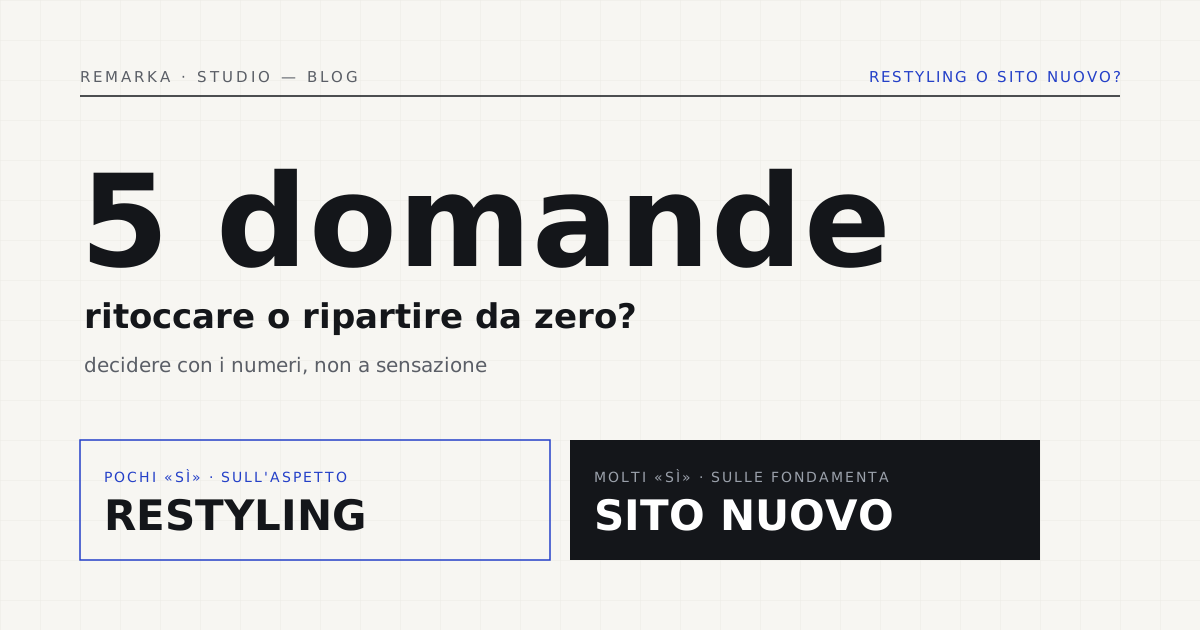
There’s a moment when you open your site on your phone and something jars: it loads slowly, it looks old, the enquiries trickle in. The question that follows is always the same — “do we touch it up or rebuild it from scratch?” — and the wrong answer costs in both directions: you can throw away a site that’s still good, or keep patching a base that’s already burnt out. It isn’t a choice to make by feel. Five questions are enough to tell whether your site needs a redesign or a real rebuild — and this article puts them in your hands.
Redesign or rebuild: not the same spend.
Before deciding, let’s agree on the words. A redesign works on top of a base that holds: it refreshes the look, rewrites some content, fixes speed and accessibility, but doesn’t demolish the foundations. A rebuild redoes the technical base from scratch — theme, structure, often the platform — and carries back onto it the content that deserves to stay. The first costs less and takes less time; the second costs more but solves problems no touch-up can reach.
Getting the diagnosis wrong is the dumbest spend of all. Doing a full rebuild when a redesign would have done is throwing money away; doing a redesign on a rotten base is like putting new tires on a blown engine — every fix costs and the result stays mediocre. The five questions exist precisely to avoid getting this diagnosis wrong.
The test of 5 questions.
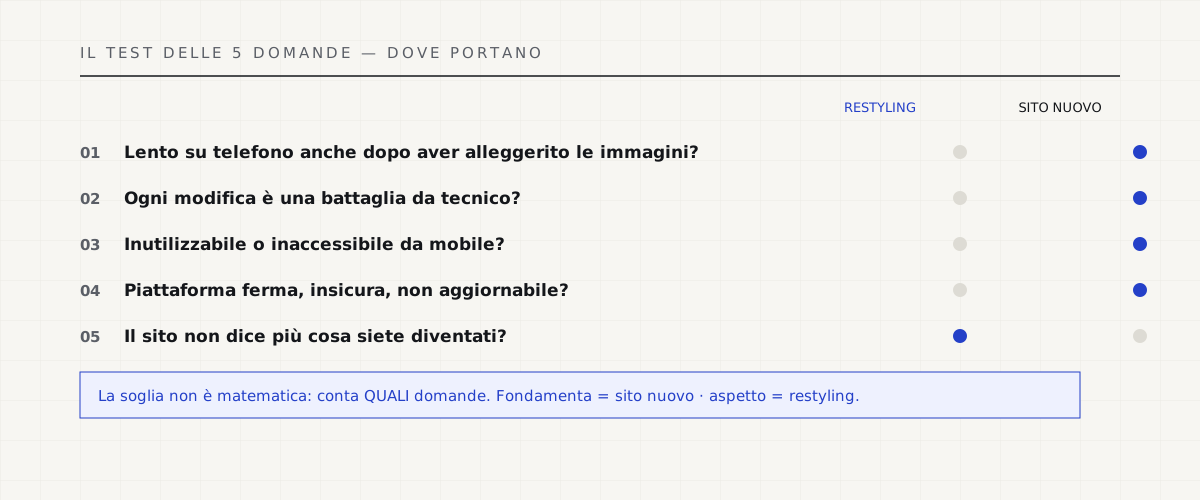
Answer honestly. The more “yeses” you collect, the more the needle moves from redesign toward new site. It isn’t a magic formula, it’s a way to look in the face the things you usually avoid.
When a redesign is enough.
If the “yeses” are few and about appearance — the site aged but still fast, easy to update, solid under the hood — the redesign is the right and smartest choice. Refresh the image, rewrite the content that sells, fix accessibility and speed, and keep all the value the site has already built on Google. Before deciding, though, look at the numbers and not the impression: a site check-up measures speed, SEO, accessibility and privacy in a minute, and tells you whether the base really holds or only seems to.
Measure the site’s health before choosing: full check-up →
When a new site is worth it (and how not to lose Google).
If the “yeses” pile up on the foundations — structural slowness, an insecure platform, unusable mobile — the rebuild isn’t a waste, it’s the end of a waste. The right fear, at that point, is only one: losing the rankings earned over years. It’s a legitimate and manageable fear. With a one-to-one URL map and 301 redirects done before launch, the value of the old pages transfers to the new ones and traffic carries on as if nothing happened. The collapse after a rebuild isn’t a technical curse: it’s almost always the consequence of missing redirects, or ones done “all to the homepage.”
A detail that makes the difference: the map isn’t improvised on launch day. It’s prepared beforehand, page by page, and tested on a staging environment. When it’s done well, the switch is invisible to visitors and to Google — no 404 errors, no orphan pages, no drop. The rebuild stops being a leap in the dark and becomes an orderly move, with the boxes labeled.
How redirects work when you change site (Google) →
Deciding with numbers, not by feel.
The rule we always repeat: measure first, then decide. An honest check-up turns “it feels old” into a list of problems with a priority, and from there the choice between redesign and new site becomes almost obvious. If the numbers show the base holds, you touch it up; if they show it’s finished, you rebuild — and in both cases you start from a fact, not a feeling or a salesperson who has already decided for you.
One last criterion almost nobody considers: weight. An old site is often also a heavy site, and a heavy site is slow, expensive to serve and more polluting. Rebuilding the base, when needed, is also the chance to lighten it — and the speed that comes out shows immediately, on the phone and in the enquiries.
Redesign and migration, without losing rankings →
Read also: how much your site weighs on the environment (and on your wallet) →
Sources.
The figures and claims in this article come from here. These are primary sources, not summaries: open them and check for yourself.
- Google — site moves with URL changesThe official procedure for rebuilding a site without losing your Google rankings.
- Google — redirects and Google SearchHow to set up 301 redirects so Google transfers the value of the old pages to the new ones.
- web.dev — Web VitalsThe speed metrics to tell a site that’s still good from one to rebuild.
- Sustainable Web Design — emissions estimateThe model linking a page’s weight to its consumption: an old site is often also a heavy one.
Let’s talk about your website.
Free analysis of your current website; a fixed quote within 24 hours of the call.