
22 JUL 2026
Google Consent Mode v2: what changes for ads and analytics
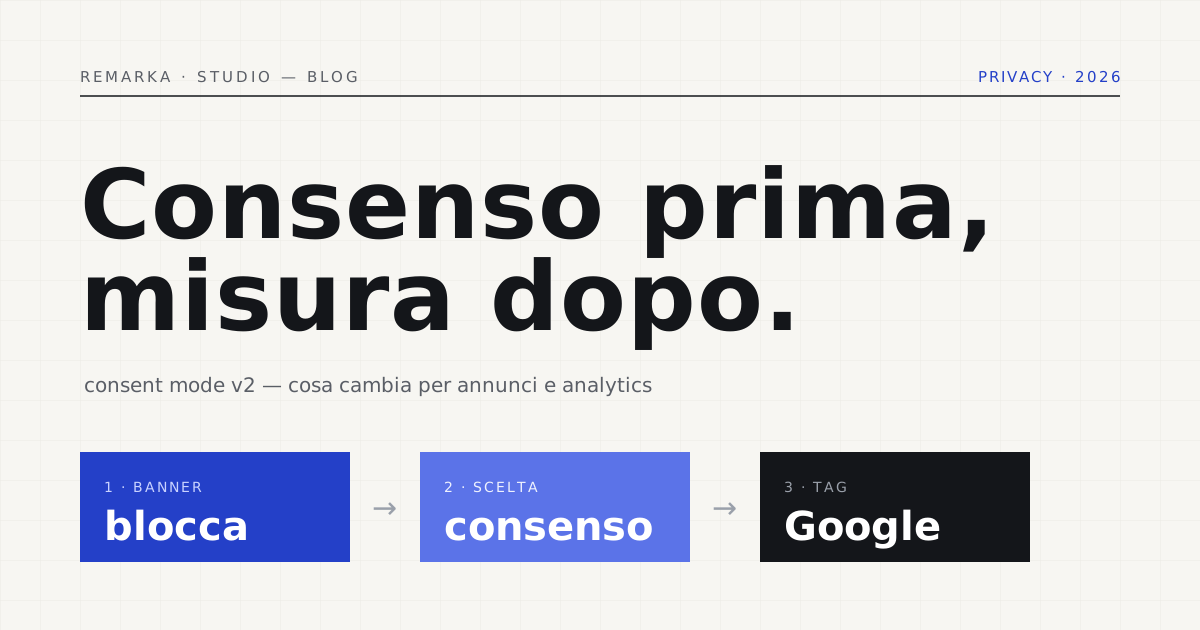
If you advertise with Google or measure your site with Analytics, since 2024 a label has appeared that you can no longer ignore: Consent Mode v2. It isn’t yet another technical fad — it’s how Google has tied its tools to the cookie consent that every European site already has to request. Skip the setup and you see less effective campaigns and data thinning out, without understanding why. Let’s look at what Consent Mode v2 is, what really changes for ads and analytics, and how to set it up so it respects the visitor’s choice — rather than working around it.
What Consent Mode is (and why v2 arrived).
Consent Mode is the bridge between your cookie banner and Google’s tags. In practice it tells the tags — Analytics, Google Ads — how to behave depending on what the visitor chose: whether they accepted measurement cookies, whether they refused advertising ones, and so on. It isn’t entirely new: it had existed for a few years already. Version 2 adds two new consent signals, dedicated to the advertising uses of data, and makes them mandatory.
The reason is simple: since March 2024 Google requires Consent Mode v2 from anyone who wants to keep using European audience data for advertising — remarketing, audience lists, conversions. Without those two signals, some features switch off for users in the European Economic Area. Google did it to align with EU consent rules, not on a whim: it’s its answer to the fact that in Europe, before tracking anyone, valid consent has to be genuinely requested.
What really changes for ads and analytics.
On the advertising side the change is sharp: if you don’t transmit the new signals, remarketing lists and audience segments built on European users stop being fed. The campaigns don’t stop, but they gradually lose the fuel that made them precise. Those who notice late end up with less targeted ads and a cost per lead that climbs, with no obvious cause.
On the measurement side, instead, the nature of the data changes. When a visitor refuses, the tags don’t write cookies but can send Google anonymous, aggregated signals, from which the tools estimate — not record — part of what happened. Your reports change face: fewer identified users, more statistical modelling. It’s a deliberate trade-off, privacy first, and it has to be understood so you don’t read the numbers as if they were still the old ones.
Check your site’s cookie and consent compliance for free →
Consent Mode v2 doesn’t replace the banner (or consent).
This is where most sites fall down. Consent Mode isn’t a cookie banner and isn’t a consent-collection platform: it’s the plumbing that reads the choice a serious banner collects. The real banner has to block the tags before consent and offer a refusal as easy as acceptance. On this the Italian Garante, in its cookie guidelines, and the European EDPB taskforce are explicit: pre-ticked boxes and “accept by scrolling” are not valid consent.
Order matters. First the banner blocks the scripts by default; then the visitor chooses; only then does Consent Mode transmit that choice to Google’s tags. If the banner is fake — that is, it loads everything anyway and asks permission after the fact — Consent Mode becomes a fig leaf, not proof of compliance. Google’s technology only works when it rests on consent collected properly.
Technical SEO and clean tracking as standard on every page →
Read also: cookie policy or privacy policy, what serves whom →
How to set it up without breaking anything.
In practice you need three pieces working together. A consent management platform (a CMP) that collects the choice and is compatible with Consent Mode v2; the link between the CMP and Google’s tags, so the two new signals fire correctly; and an honest check that, before consent, no analytics or advertising cookie is written. That’s the right order, not a detail to postpone until launch.
Then you measure the result. Check that with consent denied the modelled data arrives and not zero, that the advertising signals activate only after acceptance, and above all that the banner really does block at the start. A cookie and GDPR compliance scan tells you in a few seconds whether the tags fire before consent — the most common and most expensive mistake.
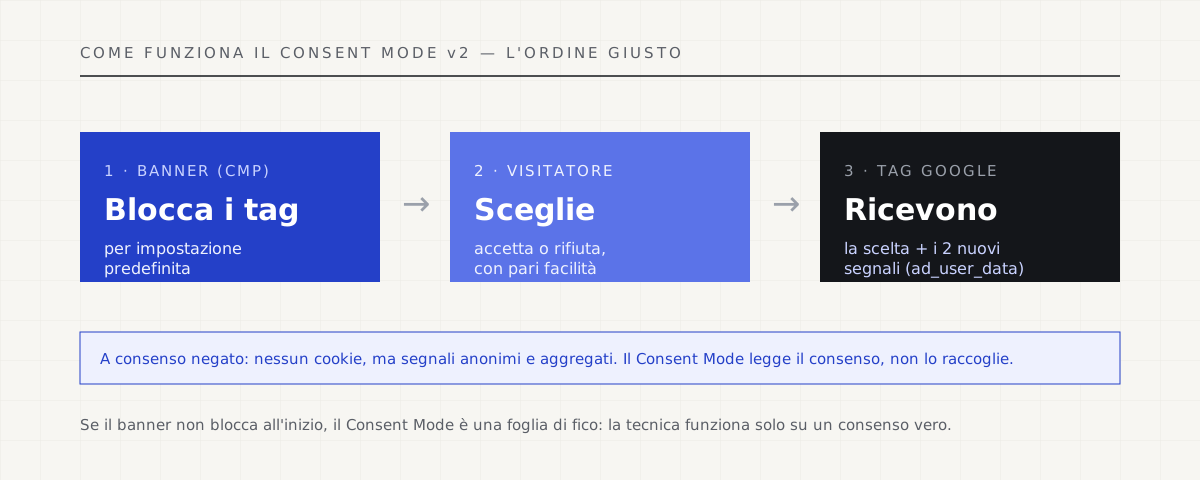
Consent first, measurement after.
The whole point is an order: consent first, measurement after. Consent Mode v2 aligns Google’s tools with the consent you’re required to collect anyway. Set up well, it leaves you all the measurement the law allows without betraying your visitors. Set up badly, or skipped, it makes you lose two things at once — compliance and data — and you often notice only when campaigns pay off less and the reports empty out.
Our line is simple: we build sites where the banner blocks by default and measurement respects the visitor’s choice. Measuring is fine; measuring at the expense of trust is not. And the good news is that, done in the right order, compliance isn’t the enemy of data: it’s the condition for having it clean and defensible.
Read also: Google Analytics 4 and privacy in the EU, are you compliant? →
Sources.
The figures and claims in this article come from here. These are primary sources, not summaries: open them and check for yourself.
- Google — Consent Mode (developer guide)The official documentation: what the consent signals do and how the tags behave before and after the choice.
- Google — EU user consent policyThe policy that requires anyone using Google’s tools in the EU to collect valid consent: the reason for Consent Mode v2.
- EDPB — cookie banner taskforce reportWhat is not valid consent according to Europe’s regulators: pre-ticked boxes and “accept by scrolling” aren’t enough.
- Garante Privacy — cookie guidelinesItaly’s rules on the banner: pre-emptive blocking of tags and a refusal as easy as acceptance.
Let’s talk about your website.
Free analysis of your current website; a fixed quote within 24 hours of the call.