
21 JUL 2026
Why your website doesn’t convert: 7 silent leaks
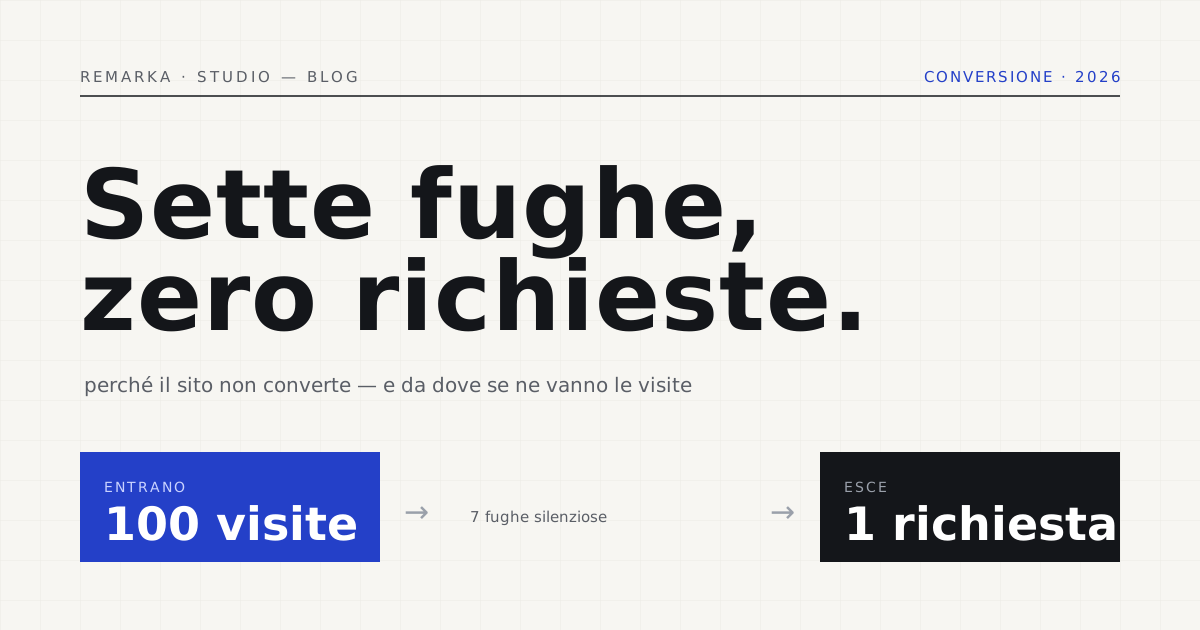
The campaigns are running, the visits are there, but the phone doesn’t ring and the contact inbox stays empty. It’s the most common frustration people bring to a first meeting, and the hasty diagnosis is almost always wrong: “we need more traffic.” In most cases the traffic is already there — it drains out of a leaky bucket. Here’s why your website doesn’t convert: seven silent leaks that empty out your visits before they turn into enquiries, in the order we see them in audits, and how to seal them one by one.
Conversion isn’t traffic: it’s what happens next.
Converting, for a services site or a shop, means something concrete: a visit that becomes a contact, a call, an order. The conversion rate is the percentage of visitors who take that step. And here’s the first misunderstanding to clear up: doubling your visits on a site that converts 1% of them costs far more than taking that same 1% to 2% by working on the site. Traffic you buy; conversion you build.
The figure that should give you pause comes from e-commerce, where everything is measurable: according to Baymard Institute’s summaries of dozens of studies, on average nearly seven carts out of ten are abandoned before payment. Seven people out of ten who had already chosen the product walk away at the last metre. It isn’t a traffic problem: it’s a leak. And the same leaks, less visible, act on every services site.
Leaks 1 and 2: slowness and neglected mobile.
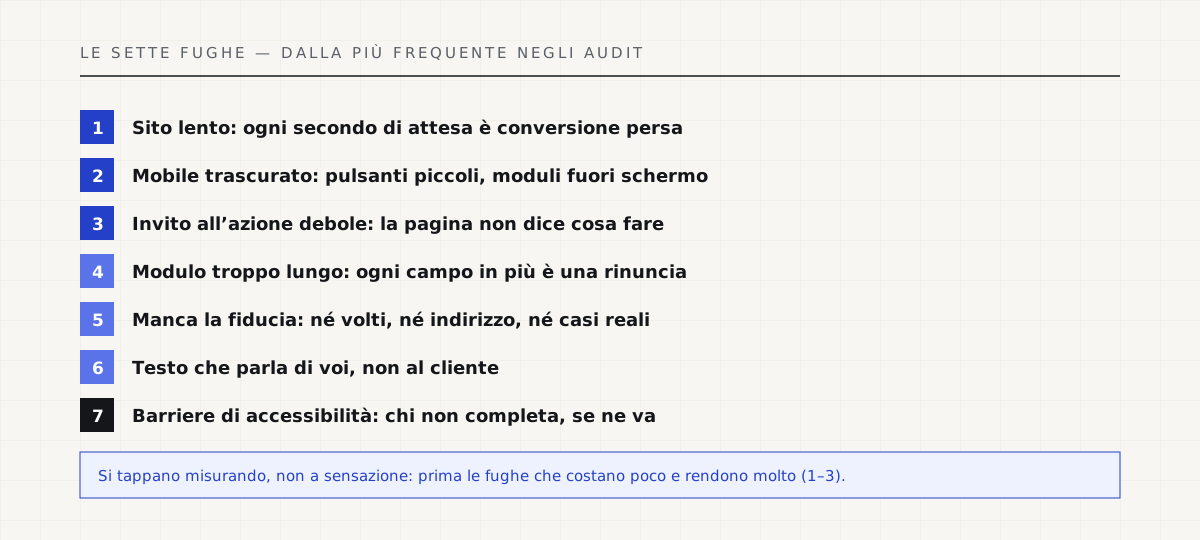
The first leak is the most obvious and the most expensive: the site is slow. Every extra second of load time drives conversions down, because someone searching on a phone doesn’t wait — they go back and open the competitor. Google measures this with Core Web Vitals precisely because perceived speed is now part of the experience, not a technical detail. If the page shows up after four seconds, half the marketing work is already lost.
The second leak sits right beside it: a site designed for desktop and merely “adapted” to the phone. Today most visits come from mobile, and a button that’s too small, a phone number you can’t tap to call, a form that runs off the screen are enough to send the person away. It isn’t mobile-first: in the mind of whoever is searching for you, it’s mobile-only.
Leaks 3 and 4: the weak call to action and the endless form.
The third leak is silence: the page doesn’t say what to do. No clear call to action, no button that stands out, the phone number hidden in the footer. The convinced visitor can’t find the door and leaves. A good call to action is visible, one per screen, and names a precise action — “Request a quote in 24 hours,” not “Find out more.”
The fourth leak is the over-long contact form. Every extra field is one more reason to give up: usability studies on forms agree — ask only for what you truly need in order to reply. Name, contact, two lines of message. The VAT number, the full address and “how did you hear about us” you ask for later, when the person is already a customer, not on the doorstep.
Measure your site’s health: the complete check-up, free →
Leaks 5 and 6: trust is missing, and the copy doesn’t speak to the customer.
The fifth leak is invisible and decisive: trust is missing. A site with no faces, no address, no real cases and no sign that real people stand behind it asks the visitor to trust blindly. And nobody hands their number to a stranger. Who we are, where we are, what we’ve done: these are the questions the page must answer before they’re even asked.
The sixth leak is copy that talks about you instead of to the customer. “Innovative, tailor-made solutions for your business” means nothing to someone looking for a plumber or an accountant. The visitor wants to know whether you solve their problem, how long it takes, on what terms. Copy that converts is concrete, states numbers and deadlines, and uses the customer’s words — not the brochure’s. We’ve devoted a separate article to the weight of copy, because it’s the most underrated lever of all.
What a business website that converts includes, at a fixed price →
Read also: copy before design, why copy decides conversion →
Leak 7: accessibility barriers (the ones your reports don’t show).
The seventh leak is the one that will never show up in your reports by its real name. Contrasts too faint, tiny text, forms you can’t fill in from the keyboard, images with no description: every accessibility barrier is a person who can’t complete the order and leaves. The W3C’s WCAG guidelines exist precisely for this, and since 2025 accessibility is also a legal obligation in Europe. But even before the obligation, it’s lost conversion: a site usable by everyone sells to everyone.
The thread that ties the seven leaks together is a single one: you seal them by measuring, not by gut feeling. The first concrete step is an honest diagnosis — which of these seven losses you actually have, and which you don’t. From there you work in order of return: first the leaks that are cheap to close and pay off handsomely, like speed and calls to action, then the rest. You don’t need to redo everything: you need to stop pouring water into a leaky bucket.
Before rebuilding, find out where you’re losing: free site analysis →
Sources.
The figures and claims in this article come from here. These are primary sources, not summaries: open them and check for yourself.
- Baymard Institute — cart abandonment rateThe average of nearly 7 carts out of 10 abandoned: proof that conversion is lost in the site, not in the traffic.
- web.dev — Web VitalsWhy speed is part of the experience: every extra second of waiting is conversion walking out the door.
- Nielsen Norman Group — the F-shaped reading patternHow people actually read a page: they look little and fast, so the copy must be built for that glance.
- W3C — Web Content Accessibility Guidelines (WCAG)Accessibility barriers are lost conversion before they’re a legal obligation: a site usable by everyone sells to everyone.
Let’s talk about your website.
Free analysis of your current website; a fixed quote within 24 hours of the call.