
18 JUL 2026
WordPress maintenance: what happens if you skip it
“The site works, why pay for maintenance?” It’s the question that saves you a hundred euros a year and loses you a thousand in one night. A WordPress site isn’t a painting on the wall: it’s living software, made of a core, of plugins and of a theme that the world around it — browsers, PHP, security standards — keeps changing. Not updating it doesn’t mean “leaving it as it is”: it means letting it age until one day it stops opening, or worse, until someone gets in. Let’s see what maintaining a WordPress site really involves, what those who skip it risk, and why it’s not a cost but insurance.
Why a WordPress doesn’t “stay as it is”.
WordPress runs a huge slice of the web, and that reach has a flip side: it’s also the favourite target of those hunting for exploitable holes. The core is well maintained and gets security updates constantly — often automatic — but the site isn’t just the core: it’s the core plus the plugins plus the theme. And that’s where the problem opens up. According to Patchstack’s annual WordPress security report, almost all discovered vulnerabilities are not in the core, but in third-party plugins and themes.
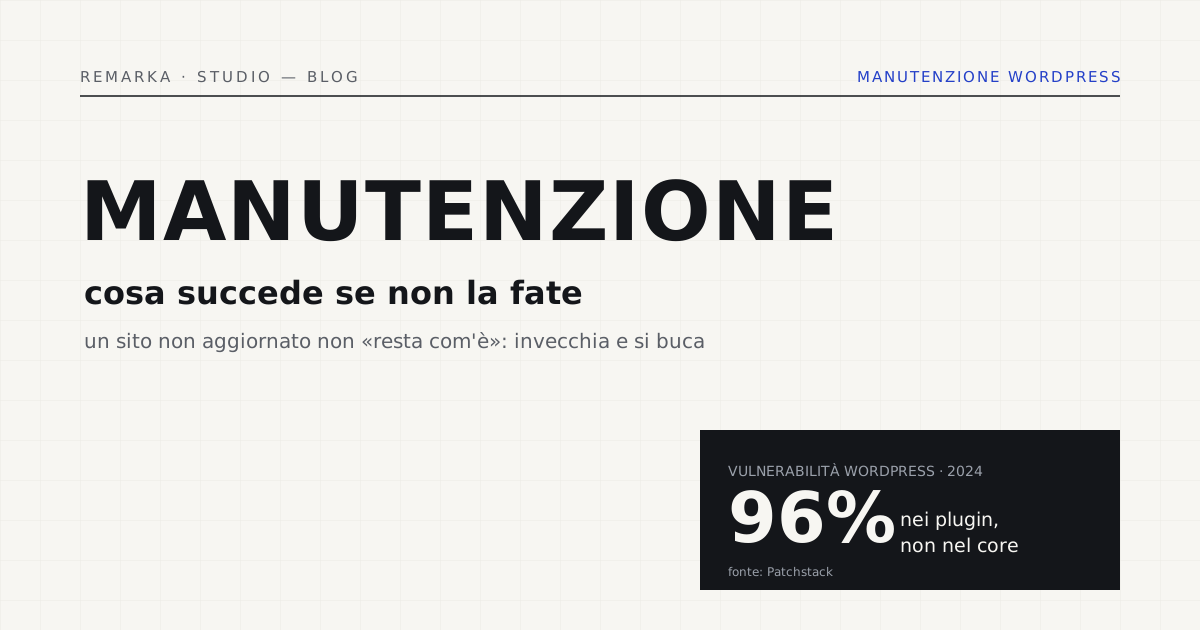
The figure is stark: in 2024 almost eight thousand new vulnerabilities were found in the WordPress ecosystem, and around 96% concerned plugins. Every un-updated plugin is a door someone, sooner or later, tries to open. Not updating doesn’t freeze the site in a secure state: it leaves it exposed to holes that become public and exploitable as the months pass. “Staying as it is” is an illusion — what stays is only the risk, and it grows.
What maintenance involves (done right).
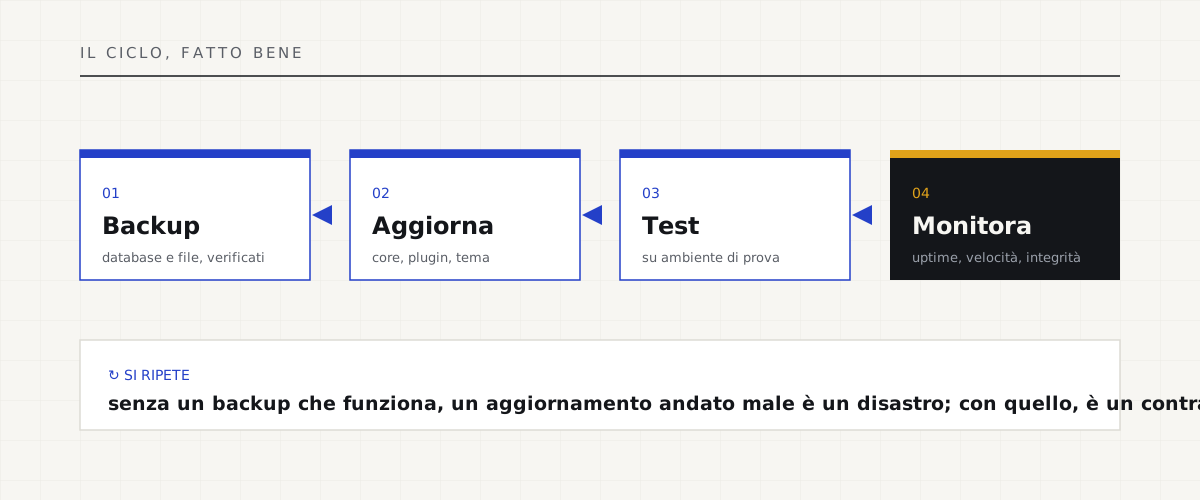
Maintenance doesn’t mean “clicking update at random.” It means an orderly cycle that keeps the site secure, fast and recoverable. It’s a few things, but they must be done methodically — the official WordPress.org documentation insists on every one of them.
What those who skip it risk.
The risks aren’t textbook hypotheses, they’re the phone calls we get. The breached site that redirects to spam pages or serves malware — and Google flags it as “dangerous” to visitors, burning years of reputation in a day. The site that, after a server PHP update, simply stops opening, because a plugin frozen three years ago is no longer compatible. The white screen with no backup, the only copy “somewhere” that nobody can find.
And then there’s the silent cost, the one that makes no noise: the contact form that stopped sending emails months ago and nobody noticed, customer enquiries fallen into the void. Maintenance isn’t the expense line it seems: it’s what keeps these disasters away, and it almost always costs a fraction of what fixing them afterwards costs. A periodic check-up is the cheapest way to know what state your site is really in, before a customer tells you.
WordPress.org — updating WordPress →
Measure your site’s technical health for free →
Our approach: included, then optional.
We know “maintenance” sounds like an imposed subscription, and we don’t like it either. That’s why, on the sites we deliver, the first 12 months of support, updates and measurements are included in the build price, no surprises. After that, the fee is optional — or the site stays with you as it is: code and data are yours from day one. No technical blackmail, no forced dependency.
And we don’t say it in the abstract: we keep 28 projects under continuous maintenance, and for two years we’ve been running an internal management system — the group’s TMS — that handles over 2,000 orders a year and can’t afford to be down for an hour. We do maintenance first of all on our own systems, with our own money and reputation on the line. It’s the same care, and the same engineering, we put into a business website for you.
A business website with maintenance included for the first 12 months →
Run a check-up on your current site, for free →
Read also: hosting in Italy or the cloud, speed and GDPR →
Sources.
The figures and claims in this article come from here. These are primary sources, not summaries: open them and check for yourself.
- WordPress.org — updating WordPressThe official documentation: why a backup before every update is the step you never skip.
- WordPress.org — hardening (securing WordPress)The official measures to reduce the attack surface: access, plugins, permissions.
- Patchstack — State of WordPress Security 2024The annual report: almost 8,000 vulnerabilities in 2024, around 96% in plugins, very few in the core.
A business website with 12 months of maintenance included, at a fixed price →
Let’s talk about your website.
Free analysis of your current website; a fixed quote within 24 hours of the call.